See Any Print on Your Own Wall — Before You Buy
Choosing fine art for your home should be exciting, not stressful. One of the most common questions I hear is some version of: “I love this image — but will it actually work on my wall, and what size should I get?” The Live Preview tool answers both questions in about a minute, right from your phone or tablet.
It uses your device’s camera to show any of my images on your actual wall, at close to real-world scale. You see the piece in the exact spot you have in mind — in your own light, next to your own furniture — which makes it far easier to picture how it will feel in the room. Nothing to download, and no special skills required. One important note up front: the size you see on screen is a close estimate, not an exact measurement — so a tape measure still has the final say. More on that below, because it genuinely matters.
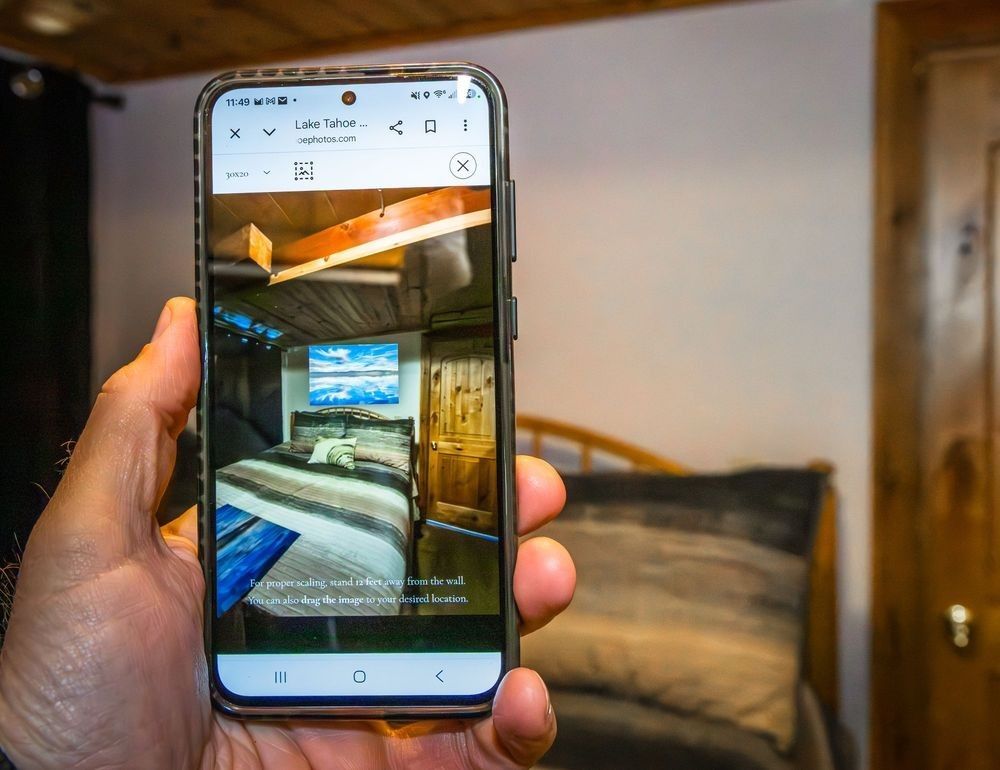
Live Preview in action — hold up your phone and the print appears right there on your wall.
What You’ll Need
Just about any reasonably current smartphone or tablet will do — an iPhone, iPad, or Android device all work beautifully. When the tool asks for permission to use your camera, simply tap Allow. That’s the only setup there is.
On a desktop or laptop? You can still use it with a webcam, but the experience is best on a device you can carry over to the wall. (There’s an easy trick for that further down.)
How to Use Live Preview — Step by Step
Here’s the whole process, start to finish:
- Open any image on the website. Browse a gallery and tap the photo you’re interested in to open its print page.
- Tap the “Live Preview AR” button. You’ll find it right on the print page, near the image.
- Allow camera access when your device asks. This is what lets the tool show the print on your real wall.
- Point your camera at the wall. The print appears right there, at roughly its real-world scale, as if it’s already hanging.
- Set the size. Use the size control to step through the available sizes and see about how each one fills the space. For the most accurate scale, follow the on-screen prompt to stand roughly 12 feet back from the wall. Move around, view it from where your couch sits — really live with it for a moment.
- Note the size that looks right as your starting point. Then — and this part matters — confirm it with a tape measure before you order. Here’s why:
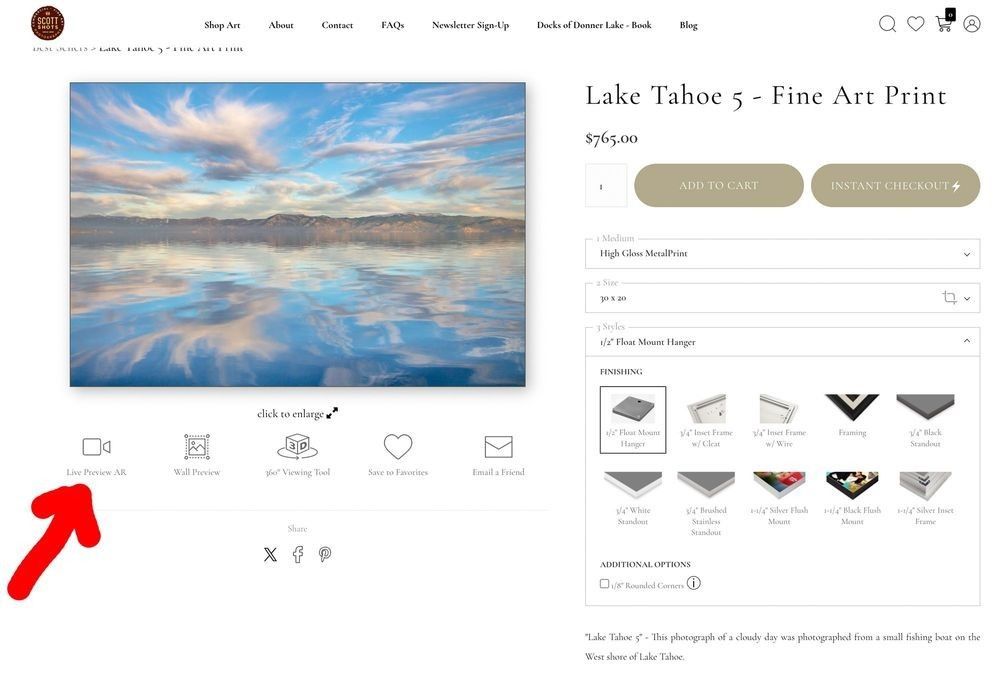
The tools sit just under the image on every print page — “Live Preview AR” is the first one (red arrow).
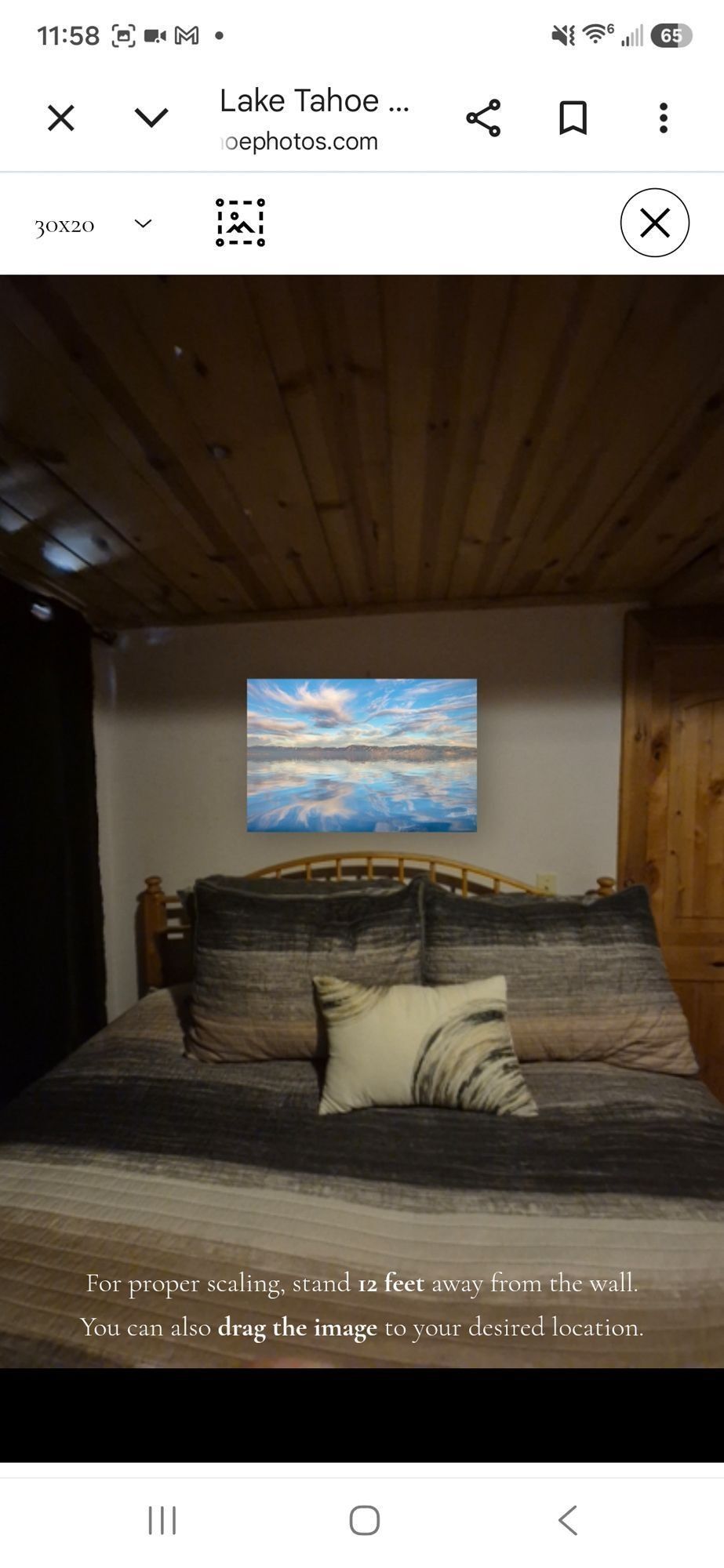
The Live Preview screen: choose a size up top, and notice the on-screen tip to stand about 12 feet back for proper scaling.
Getting the Size Right — Why the Tape Measure Still Wins
This is the most important section on the page, so I want to be completely straight with you. Live Preview is wonderful for seeing how an image feels in your space — but the size it shows on screen is an estimate, not a precise measurement. How accurate that estimate looks depends on your particular phone, its camera lens, and how far back you’re standing. (That’s why the tool asks you to stand about 12 feet from the wall — it helps, but it still varies from device to device.) So please treat the on-screen size as a strong starting point, not the final word.
To genuinely get the size right, there’s no substitute for a tape measure. Once Live Preview helps you settle on a size that feels right, measure that exact width and height on the actual wall and mark the outline with a few strips of masking or painter’s tape. Step back and look at those taped dimensions in the real space — that is how you confirm the print will truly be the size you want, especially for larger statement pieces. Think of it this way: the preview shows you the feeling, and the tape measure confirms the fit. Do both, and you’ll order with complete confidence.
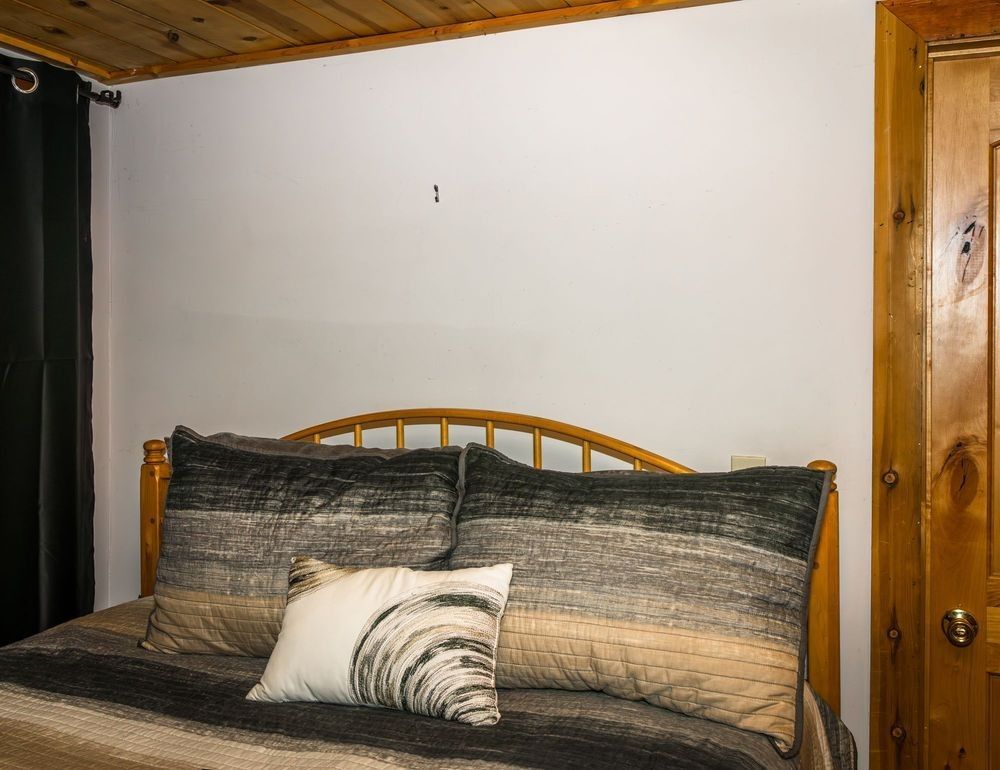
Before: the bare wall.
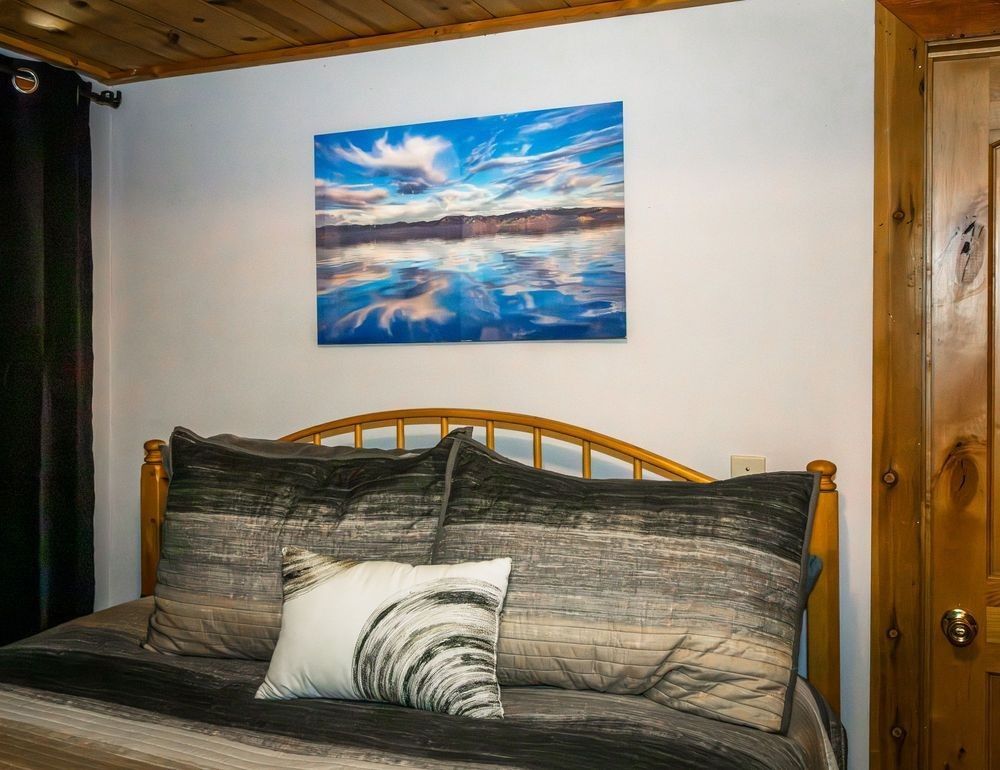
After: the finished 20″ × 30″ metal print — sized with Live Preview, then confirmed with a tape measure.
Live Preview vs. Wall Preview — Use Both
You’ll also see a Wall Preview option, and the two work hand in hand:
- Live Preview puts the real print on your real wall — perfect for choosing the spot and getting a strong feel for scale (then confirm the exact size with a tape measure).
- Wall Preview shows the image in a clean, generic room and lets you change the wall color — handy if you’re still deciding on paint, or just want to see how the image reads against different backgrounds.
Toggle back and forth between them and you can settle on the right image, the right size, and the right wall color — all in a couple of minutes.
On a Computer? Send It to Your Phone
If you’re browsing on a desktop and would rather preview on your phone or tablet, use the Email a Friend button on the print page to send the link to yourself. Open that email on your phone or tablet, tap the link, and you’re ready to point it at your wall — the easiest way to get from “found it on my laptop” to “seeing it on my wall.”
Scan to Try It Right Now
Want to test it on the spot? Scan the code below with your phone’s camera and Live Preview will open on my “Lake Tahoe 5” print, ready to project it onto your wall. Once you see how it works, browse any gallery, open an image you love, and tap Live Preview AR to try it on that one too.

What Customers Are Saying
“Wow! Thanks to Scott’s website that allows you to project any of his images onto your wall in your house, I was able to find the perfect photo for my living room. We must have looked at 50 different photos and his website tool made it so easy for us to keep searching until we found the perfect photo for that wall!! What a great tool to offer your customers!!! Thanks Scott!!”
— Taylor Russo, Google review ★★★★★
Ready to See It on Your Wall?
Browse the galleries, open any image you love, and tap Live Preview AR. If you have any questions — or you’d like help choosing the right size for a particular space — reach out anytime. I’m always happy to help you find the perfect piece for your home.
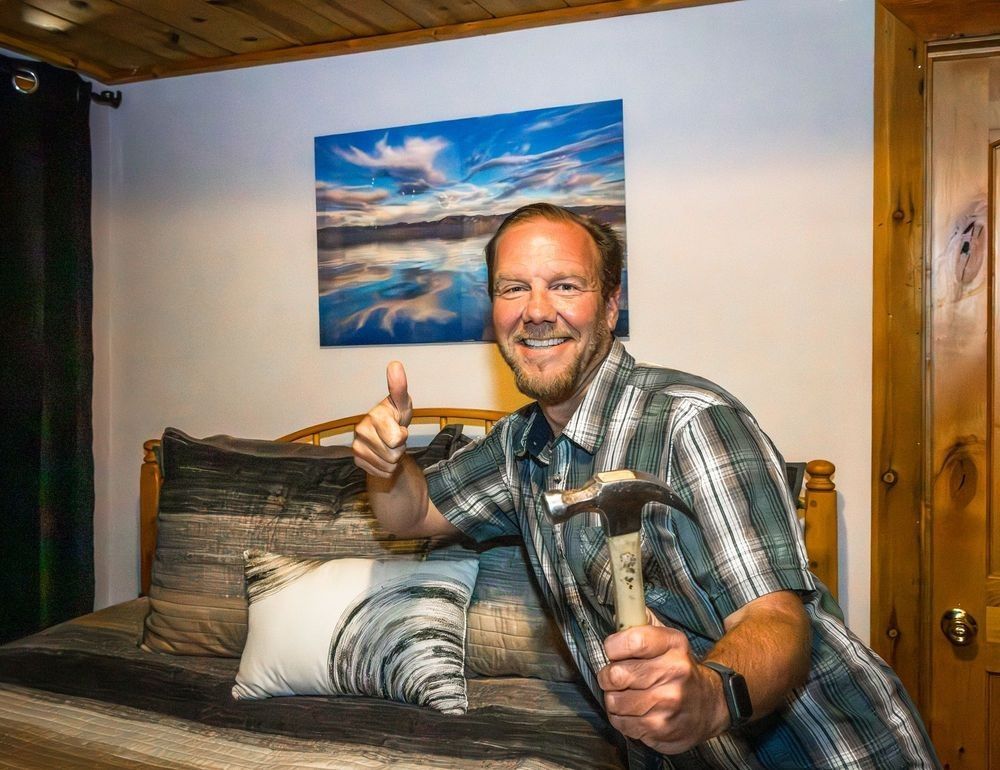
That’s me with my own 20″ × 30″ Lake Tahoe 5 metal — previewed, measured, and finally on the wall.